
Programming SPIKE Prime robots in Python and Word blocks: Expert Course

Guide students from Word Blocks toward Python with a ready-to-use programme of 25 advanced projects, with teacher training and RoboCamp consultation included.

What you get with the course

Teacher training included

On-demand training helps you prepare before teaching the course.

25 ready-to-use lessons

25 advanced lessons that lead students from Word Blocks toward Python and more independent robotics projects.

Training recording

Watch the training when it fits your schedule and return to it during the licence period.

Student access

Students can use lesson instructions and multimedia materials directly on the RoboCamp platform.

1:1 consultation

Meet online with a RoboCamp trainer to discuss setup, lesson flow or implementation questions.

Teacher certificate

Receive a named certificate after completing the teacher training.

Course materials and the training recording are available throughout the active licence period.

Course overview

The course gives you a ready way to guide students from programming in Word Blocks to their first increasingly independent projects in Python, without building a lesson program from scratch.

You get a structured path of 25 projects combining programming, sensors, more complex mechanics and STEAM topics.

Students develop programming concepts they already know, then use them in text-based code. They work with conditions, loops, data, randomness and program structures, test how robots behave, look for errors and modify their solutions. Selected projects also show applications connected with games and ideas used in AI.

The course is designed primarily for students aged 11-16. Completing the intermediate course is recommended; the most important thing is that the group already has experience with SPIKE Prime and programming in Word Blocks.

Is this course right for you?

Teachers & robotics coaches

Who want a ready-made program and a smooth shift from Word Blocks to Python. Step-by-step builds and annotated code keep prep low while guiding each lesson start to finish.

Students aged 11-16

Best for middle-school to early high-school students who’ve finished a SPIKE Prime Word Blocks course and are ready to move into Python, enjoy hands-on builds and game-style challenges.

Classrooms, clubs and camps

One SPIKE Prime set comfortably serves a team of 2-3 learners, so you can scale the course to your group size. All students get controlled access to the platform.

What does the SPIKE Prime Expert Programming course include?

Teacher preparation

Teacher training and preparation — Prepare to support advanced SPIKE Prime programming and the transition from Word Blocks toward Python. In the English offer, the teacher training is available as a recording throughout the active licence period.
— The course also includes an individual consultation with a RoboCamp trainer and a named teacher certificate.

Programme for students

25 ready-to-use lessons leading from Word Blocks to Python — Students develop programming concepts they already know, then use them in text-based code, more complex algorithms and robotics projects.
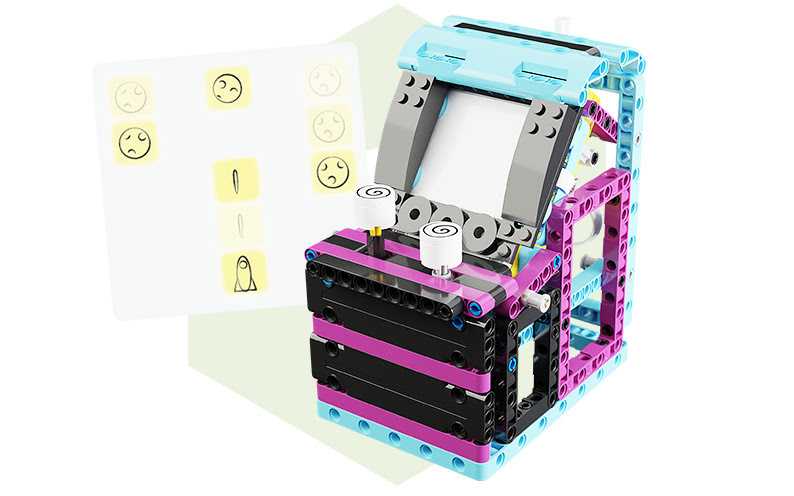
— Projects combine programming with sensors, mechanics, testing and experimentation. Arcade games, the Projector and the AI Launcher show different ways to use code in concrete, working constructions.

Tools for running lessons

Platform for the teacher and students — Students use building and programming instructions on their own devices, while you decide which lessons to make available to them.
— All materials stay in one place and remain available throughout your licence period.

How it works

Get access
Choose your access plan, then log in to the e-learning platform.
Pick a lesson
Launch any of the 25 lesson projects with a few clicks.
Teach & enjoy
Focus on guiding students while the platform delivers instructions.

Lesson plans in this course

3 out of 25 engaging lessons that you can teach in your classroom. Get a quote to receive full curriculum.
Click to browse all lessons in this course.

AI Launcher

Lesson time: 110 min

Student age: 12 - 16

This advanced robotics lesson challenges students to build and program a catapult-style launcher equipped with a distance sensor and force sensor. The robot gauges distance to the target and adjusts its launch power based on user feedback—learning whether a shot went too far or too short. Students also use SPIKE hub buttons to fine-tune the launch, introducing the basics of reinforcement learning in a tangible way.
Critical thinking and algorithmic experimentationLesson aligns with NGSS engineering practices through iterative testing, supports ISTE standards by encouraging interactive design, and addresses CSTA goals by integrating sensor feedback, user input, and decision-making logic.

Arcade Game: Space Explorer

Lesson time: 90 min

Student age: 12 - 16

In this high-engagement lesson, students code a retro-style arcade game using SPIKE Prime and Python. They build a joystick-controlled console with a LED matrix display, then use color and force sensors to interact with their game logic. Through this process, students explore game design principles while developing skills in Python syntax, conditional statements, loops, randomness, and modular code.
Powerful combination of creativity and computational rigorThis particular project aligns with NGSS by encouraging multiple rounds of design and testing, supports ISTE standards by promoting digital storytelling and interactivity, and strongly reinforces CSTA objectives through variable use, real-time inputs, and structured logic – all in a fun, gamified setting.

Movie projector

Lesson time: 80 min

Student age: 11 - 16

This creative and interdisciplinary lesson blends engineering with the art of storytelling. Students construct and program a model of a film projector, exploring how stroboscopic effects create the illusion of motion. They use rotation sensors as motor regulators and a distance sensor as a blinking light source to simulate animation—a perfect gateway into the science of perception and visual media.
Ideal for STEAM enrichment This lesson cultivates cross-disciplinary thinking. Students meet NGSS expectations by investigating waves and light, apply ISTE creativity standards by building multimedia devices, and engage with CSTA fundamentals through sensor-driven timing and regulation in program logic.

Course curriculum includes...

25 ready-to-teach lesson plans. Organized for a semester or full year (weekly classes), each lesson teaches a new Python concept or Word Blocks technique through a SPIKE Prime build.
Progress that builds each lesson. You start by reviewing Word Blocks, then move into short Python builds and larger projects as mechanics, sensors, and code (game loops, data structures, the run loop) get more advanced.
Step-by-step instructions. For teachers and students across introduction, build, code, and test phases. You can rely on clear visuals, notes, and explanations to keep prep low and lessons on track.
Programming in Python and SPIKE Word Blocks. A clear move from blocks to Python: revisit key block ideas, then use Python concepts (lists, tuples, dictionaries, timing, randomness, the run loop) and introduce AI ideas through guided reinforcement learning
Assignments for grades ~6–9 (ages 11–15). Activities build STEAM thinking and hands-on skills with LEGO® mechanics and connect math and physics (ratios, modulo, timing) to real code.

Discover our online platform

Take a peek inside RoboCamp education platform and see what it can add to your lessons

Free access for students

Included with the price All of your students can access the instructions and multimedia for the lesson at no extra cost.
Flexible number of accounts Got a new student added to your class? Reach out to our support to expand the number of student accounts available to you.

Easy to use

User-friendly interface Simply log in and pick the lesson for today. Browse everything available, or select from your favorites.
Intuitive lesson flow Each lesson is composed of introduction, building, checking the mechanism, programming it and testing.

For individual and group work

Designed for teaching and learning Teacher can control student access to instructions and multimedia, to suit their teaching style.
Different projects for different groups Assign different tasks within your classroom by sharing different lesson projects with your students.

Prepare to teach SPIKE Prime Expert

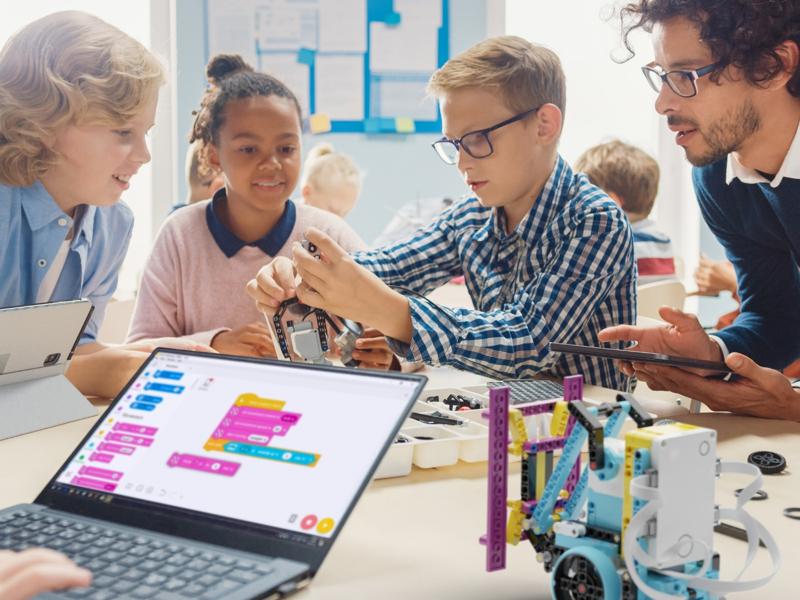
The course includes one on-demand training for teachers. It explains how to prepare LEGO® Education SPIKE™ Prime, how to use the RoboCamp materials with students and how to keep the course moving as a structured teaching path.

Training included with the course

90 minutes

Teacher training for advanced SPIKE Prime programming

This on-demand training prepares teachers to use LEGO® Education SPIKE™ Prime in real classroom conditions. It focuses on advanced Word Blocks, the transition toward Python, sensors, logic, testing and student-led projects.

The goal is not only to explain the technology, but to show how the course materials, student access and lesson progression work together during regular classes.

After the training, you will know how to:

prepare LEGO® Education SPIKE™ Prime and the classroom workflow for the course,
use the RoboCamp platform with teacher and student access,
follow the lesson structure and support students during building and programming,
recognise common classroom or technical issues before they interrupt the lesson,
connect individual projects into a clear teaching path.
Teacher training for advanced SPIKE Prime programming

Learn when you need it

The training is available as a recording for the full active licence period, so you can watch it before starting the course and return to it later.

Use your 1:1 consultation

The course includes a 30-minute online consultation with a RoboCamp trainer. You can use it to discuss course setup, classroom organisation, a specific lesson or a practical problem.

Plan your next steps

Use the training and consultation to prepare your first project, organise the cutting workflow and decide how to pace the course with your group.

Frequently asked questions

The course includes access for one teacher, one on-demand teacher training, 25 ready-to-use lesson plans, student materials and student access, a 30-minute individual consultation with a RoboCamp trainer, and a named certificate. The training recording and course materials remain available throughout the active licence period.
Completing the Intermediate course is recommended, but not required. What matters most is that students already have experience with SPIKE Prime, know the basic programming structures in Word Blocks, and are ready for more complex projects and a gradual transition toward Python.
Yes. You do not need to know Python before starting the course. The programme is designed as a transition from the familiar Word Blocks environment to text-based programming. The course includes teacher training that supports advanced SPIKE Prime programming and introduces the move toward Python.
No. The main goal of the course is to develop programming skills and move from Word Blocks toward Python through advanced robotics projects. AI-related topics appear only in selected lessons, such as the AI Launcher, as practical examples of working with data, feedback and algorithmic decision-making.
The English offer includes one on-demand teacher training. It focuses on advanced SPIKE Prime programming, the transition from Word Blocks toward Python, sensor work, logic, testing and supporting more independent student projects.
The course includes 25 ready-to-use lesson plans arranged into a gradually developing path. Timing depends on the project. Some lessons are shorter, while more complex projects may take about 80-110 minutes. Longer scenarios can be divided into two class periods and adjusted to your group.
No. One SPIKE Prime set can be used by 2-3 students working together on a project. This setup works well for group lessons and makes it possible to organise class work without giving every student a separate set.
The licence for this course includes 12 months of access. During that time you can use the lesson plans, platform materials and training recording, and return to them whenever you need them.
A single-course licence is intended for one teacher. If more people need to use the materials, or if your school needs access to several courses, we can help choose a broader access option and prepare a suitable quote.
The lesson plans connect programming with computing, maths, technology and physics. Students move from visual programming toward Python, work with conditions, loops, data and more complex algorithms, and at the same time design, build and test real mechanisms. Example lessons show clear links between robotics projects and broader curriculum areas.

Get access to the course

SPIKE Prime Programming: Expert Course
One on-demand teacher training available during the licence period
25 ready-to-use lessons for a structured teaching path
Student materials and access included with the course
30-minute 1:1 consultation with a RoboCamp trainer
Named teacher certificate after completing the training
12 months of access for 1 teacher and students
1 teacher · 12 months access
299
$