
MINDSTORMS® EV3 Programming Course: Classroom App

A complete EV3 Classroom robotics curriculum guiding students from control to autonomy through 24 ready-to-use lessons.
Get a quote

Course overview

The course was created to make it easy to teach robotics classes using the LEGO® Education MINDSTORMS® EV3 set and the EV3 Classroom app.

Students begin with direct robot control, then move on to sensor-based behaviours and simple decision-making. Across 24 lessons, they build, program, test and improve robots that perform increasingly complex tasks.

Programming concepts are introduced gradually, so the course is accessible even for teachers with no robotics experience. The program works well during longer, hands-on classes and focuses on regular learning progress.

Is this course right for you?

Teachers & facilitators

For educators who want a clear, classroom-ready EV3 robotics curriculum that provides structure, progression, and confidence without extensive preparation.

Students aged 10+

For learners who are ready to move beyond basic coding and explore how robots react, make decisions, and operate as systems.

Classrooms, clubs and camps

For school lessons and extracurricular programs looking for a flexible course that works equally well in regular classes and extended sessions.

What the Mindstorms EV3 Classroom course includes

Teacher-focused resources

Teacher licence with student access Includes time-based student access managed by the teacher. Students can open lesson instructions in their browser, while teachers retain full control over availability.
Accessible for classroom teachers Lessons are designed for ~120-minute sessions, introduce programming concepts gradually, and work well with mixed-ability groups — accessible even for teachers without prior EV3 experience.
Direct expert supportGet support by email or schedule a call whenever you need help with course setup, implementation, or classroom flow.

Full-year curriculum, ready to teach

24 multimedia lesson plans Each lesson combines step-by-step building instructions, guided programming tasks, and clear learning goals, designed for long, hands-on sessions and collaborative work.
Signature robot projects Students build and program robots such as a crane, bulldozer, and vending machine, exploring progression from direct control to sensor-based behavior and logical decision making.

Interactive e-learning platform

Browser-basedAll lesson instructions are available through a browser-based platform, with no additional software or plugins required for accessing materials.
Controlled student accessTeachers decide exactly which lesson instructions students can access and for how long, and can assign different lessons to different groups or learners.

How it works

Get access
Choose your access plan, then log in to the e-learning platform.
Pick a lesson
Launch any of the 25 lesson projects with a few clicks.
Teach & enjoy
Focus on guiding students while the platform delivers instructions.

Lesson plans at a glance

3 out of 24 engaging lessons that you can teach in your classroom. Get a quote to receive full curriculum.
Click to browse all lessons in this course.

Crane

Lesson time: 120 min

Student age: 10+

This lesson introduces students to a robot that responds instantly to human input. They program a crane that lifts, lowers, and moves in real time. As they test their code, students see how multiple actions can run at once and why timing matters. Learn about event blocks, brick buttons, and multithreading, alongside mechanical concepts such as lifting, balance, and independent motor control.
Foundations of interactive system control Students practice thinking in events rather than sequences, a key shift in computational thinking. They also connect mechanical design with software decisions, learning how structure and code must work together in a responsive system.
You control the machine You don’t tell the crane what to do once and watch it run — you operate it. Each button press produces an immediate response, and seeing multiple actions happen at once makes the robot feel powerful and alive.

Bulldozer

Lesson time: 120 min

Student age: 10+

Move beyond direct control to reactive behavior. The robot runs continuously and changes its actions based on sensor input. Students build a tracked bulldozer and program it inside a loop, using a color sensor to influence movement. They learn how logic and sensor data shape reliable robot behavior while reinforcing steering and precise motor control.
Designing systems that respondThis lesson develops logical thinking through repetition, testing, and debugging. Students move from giving instructions to designing behavior, learning how robots can react to their environment instead of following a fixed script.
Machine reacts to its environmentThe bulldozer feels like it has a mind of its own. You tweak the program, test it, and watch how small changes lead to noticeably different behavior — a moment where coding starts to feel like real problem-solving.

Vending Machine

Lesson time: 120 min

Student age: 10+

Focus shifts to decision making. Students program a robot that waits for input and responds according to internal logic. After building a vending machine mechanism with a worm drive, they design how the system handles user choices. The lesson centers on conditional logic, display control, and understanding how programmed decisions lead to predictable physical outcomes.
Understanding automated system behaviorStudents practice designing predictable, rule-based systems — a core idea in both engineering and computer science. The lesson highlights how complex behavior can emerge from clear, well-structured logic.
Machine makes decisions on its ownYou’re no longer controlling the robot moment by moment — you’re teaching it how to decide. When the vending machine responds correctly to a choice you programmed, it feels less like a robot and more like a real automated system.

Curriculum scope and structure

24 multimedia lesson plans organized into a clear, repeatable progression. Students move from basic robot control to more advanced programming concepts such as sensors, conditional logic, and multithreading. This structure supports consistent learning outcomes across groups and allows the course to be reused year after year without redesign.
Difficulty level that progresses with each lesson. As you advance this course, the robots become more and more complex in terms of their mechanics and programming.
Step-by-step instructions. For the teacher and for their students, throughout all the lesson stages. Each step is explained in text and accompanied by easy-to-understand multimedia.
Programming taught through EV3 Classroom visual blocks, with concepts introduced gradually and reinforced across multiple lessons. Each programming skill is applied directly to a physical robot task, ensuring that learning is practical, measurable, and transferable to future robotics or coding courses.
Designed for students aged 10+ can be implemented in upper primary and secondary settings. Lessons are adaptable to different skill levels, making the curriculum suitable for mixed-ability groups, extracurricular programs, and long-term use within a school’s STEM program.
Dozens of hours of teacher time saved. The lesson is already prepared, which saves the teacher precious time that they can use for self-development, supporting their students, and more!
Get a quote for your school

See the lesson in action

What your students will learn

Designing robot behavior

Students design robots that respond to input, sensors, and internal logic rather than following fixed scripts. They can explain how programmed decisions lead to specific robot actions.

Applying programming concepts in context

Students use events, loops, conditions, and variables appropriately within EV3 Classroom programs. They demonstrate understanding by selecting programming structures that match the task requirements.

Integrating mechanics and programming

Students connect mechanical design choices with software behavior. They can identify how changes in construction or gearing affect robot performance and adjust programs accordingly.

Using structured problem-solving

Students test, debug, and refine robot behavior through observation and logical reasoning. They can describe what was changed, why it was changed, and how it improved the system.

Discover our online platform

Take a peek inside RoboCamp education platform and see what it can add to your lessons.

Free access for students

Included with the price All of your students can access the instructions and multimedia for the lesson at no extra cost.
Flexible number of accounts Got a new student added to your class? Reach out to our support to expand the number of student accounts available to you.

Easy to use

User-friendly interface Simply log in and pick the lesson for today. Browse everything available, or select from your favorites.
Intuitive lesson flow Each lesson is composed of introduction, building, checking the mechanism, programming it and testing.

For individual and group work

Designed for teaching and learning Teacher can control student access to instructions and multimedia, to suit their teaching style.
Different projects for different groups Assign different tasks within your classroom by sharing different lesson projects with your students.

Prepare to teach with MINDSTORMS EV3 Classroom

The course includes one on-demand training for teachers. It explains how to prepare LEGO® Education MINDSTORMS® EV3, how to use the RoboCamp materials with students and how to keep the course moving as a structured teaching path.

Training included with the course

90 minutes

Teacher training for EV3 Classroom robotics lessons

This on-demand training prepares teachers to use LEGO® Education MINDSTORMS® EV3 and the EV3 Classroom app in real classroom conditions. It focuses on equipment setup, programming workflow, lesson pacing, student access and troubleshooting.

The goal is not only to explain the technology, but to show how the course materials, student access and lesson progression work together during regular classes.

After the training, you will know how to:

prepare LEGO® Education MINDSTORMS® EV3 and the classroom workflow for the course,
use the RoboCamp platform with teacher and student access,
follow the lesson structure and support students during building and programming,
recognise common classroom or technical issues before they interrupt the lesson,
connect individual projects into a clear teaching path.
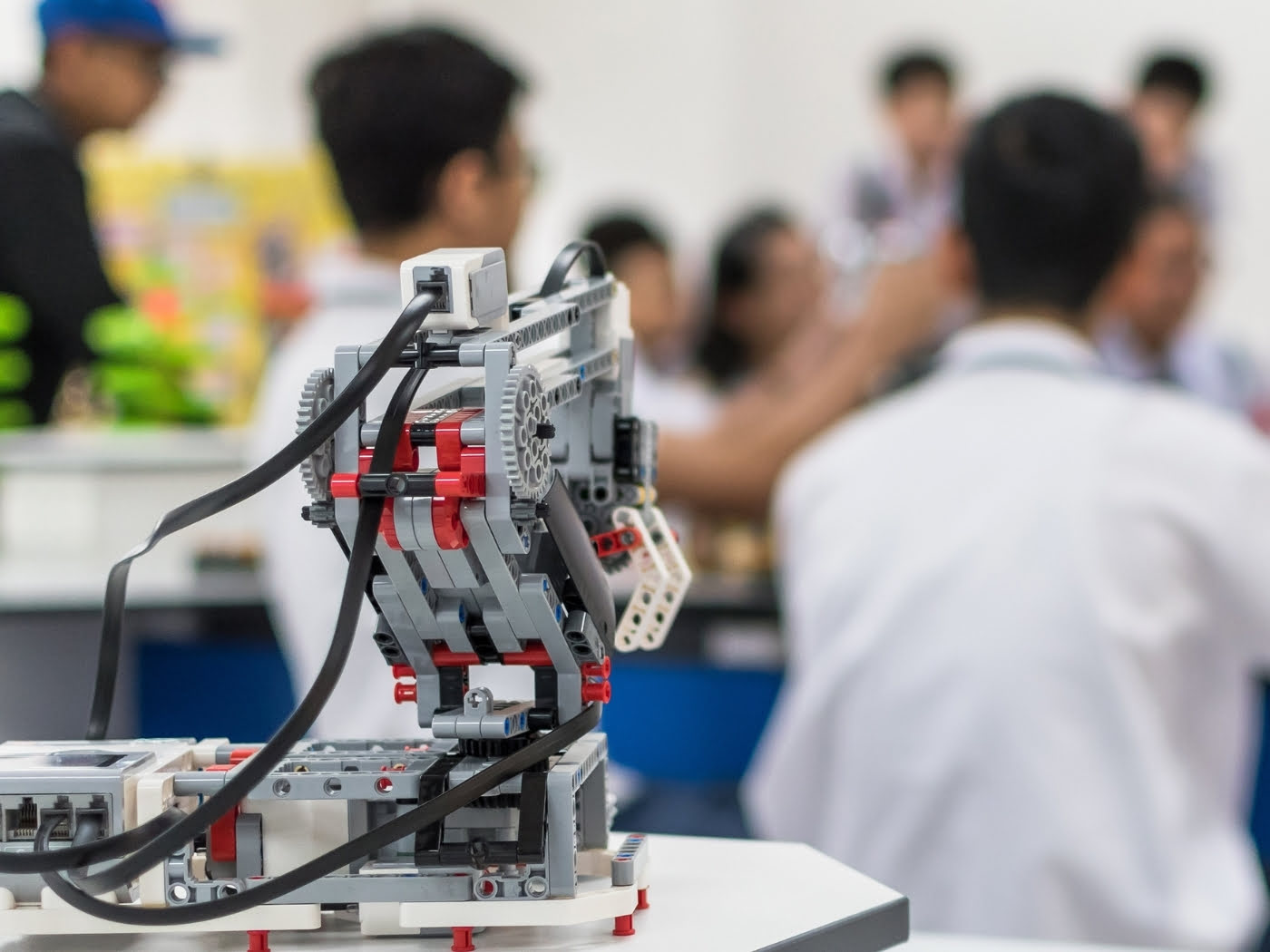
Teacher training for EV3 Classroom robotics lessons

Learn when you need it

The training is available as a recording for the full active licence period, so you can watch it before starting the course and return to it later.

Use your 1:1 consultation

The course includes a 30-minute online consultation with a RoboCamp trainer. You can use it to discuss course setup, classroom organisation, a specific lesson or a practical problem.

Confirm your preparation

After completing the training, you receive a named teacher certificate that confirms your participation and professional development.

Frequently asked questions

Yes, absolutely. The course is designed to support teachers step by step, even if you’re new to EV3 Classroom. Programming concepts are introduced gradually, and each lesson includes clear guidance so you can focus on teaching rather than troubleshooting.
Each lesson is planned for an extended ~120-minute session, giving students enough time to build, program, test, and improve their robots. With 24 lessons included, the course fits naturally into a full school year of regular robotics classes.
You’ll need LEGO® Education MINDSTORMS® EV3 sets (#45544) and computers or laptops with the EV3 Classroom app for programming. Lesson instructions are accessed through a browser-based platform, so students and teachers can easily follow the materials during class.
Most teachers use this course with two students sharing one robot, which works well for discussion and problem-solving. If your setup allows it, lessons can also be adapted for individual work.
Yes. You decide which lesson instructions are available to students and for how long. This makes it easy to pace the course, assign different lessons to different groups, and manage classroom flow.

Get access to the course

MINDSTORMS EV3 Programming Course: Classroom App
24 ready-to-use lessons for a structured teaching path
One on-demand teacher training available during the licence period
Student materials and access included with the course
1:1 consultation with a RoboCamp expert
Teacher certificate after completing the training
12 months of access for 1 teacher and students
299
$
1 year access