
Programming SPIKE Prime robots in Word blocks: Beginner Course

Prepare to teach with SPIKE Prime and get a ready-to-use year-long programme for students — one teacher training recording, 25 step-by-step lessons and RoboCamp consultation included.

What you get with the course

Teacher training included

On-demand training helps you prepare before teaching the course.

25 ready-to-use lessons

25 ready-to-use lessons that introduce robot building and Word Blocks step by step.

Training recording

Watch the training when it fits your schedule and return to it during the licence period.

Student access

Students can use lesson instructions and multimedia materials directly on the RoboCamp platform.

1:1 consultation

Meet online with a RoboCamp trainer to discuss setup, lesson flow or implementation questions.

SVG files included

Use ready-to-cut files when you want to move faster from design to testing.

Course materials and the training recording are available throughout the active licence period.

Course overview

The course gives you a ready way to start and regularly teach classes with LEGO® Education SPIKE™ Prime without building a program from scratch. You prepare to work with the set and Word Blocks, then guide students through a structured path of 25 projects.

Students begin with motor control and simple event-based programs, then learn loops, distance, color, tilt and force sensors, and later use conditions and variables in increasingly autonomous robots.

The lessons are prepared for beginner students aged 8 and up and planned for 45-60 minutes. This means you can use the course both in regular school lessons and in robotics clubs or extracurricular classes.

Is this course right for you?

45-minute lessons

Designed for 45–60-minute blocks, all lessons work well within a standard 45-minute class. Short, focused sessions keep momentum high and make it easy to slot robotics alongside other subjects.

Teachers & facilitators

Who want a ready-made robotics program without writing their own materials. No specialist coding background required – our platform walks you through every step.

Students aged 8-12

Best for beginners. Younger students learn well with step-by-step builds and visual coding, older ones appreciate calibrating sensors and tackling simple robotic challenges.

Classrooms, clubs and camps

One SPIKE Prime set comfortably serves a team of 2-3 learners, so you can scale the course to your group size. All students get controlled access to the platform.

What does the SPIKE Prime Beginner Programming course include?

Teacher preparation

Teacher training and preparation — Prepare to organise work with SPIKE Prime and to use Word Blocks programming in practice. In the English offer, the teacher training is available as a recording throughout the active licence period.
— The course also includes an individual consultation with a RoboCamp trainer and a named teacher certificate.

Program for students

25 ready-to-use lessons for the school year — You get a structured path of 25 projects planned for 45-60 minutes. The course takes students from the basics of motor control, through loops and work with sensors, to conditional statements and variables.
— Each lesson includes a short introduction, building instructions, step-by-step programming and a clearly defined goal, so it is easier to keep continuity and progression between lessons.

Materials for teaching

Platform for the teacher and students — Students use instructions and materials on their own devices, while you decide which lessons to make available to them.
— All materials stay in one place and remain available throughout your licence period.

How it works

Get access
Choose your access plan, then log in to the e-learning platform.
Pick a lesson
Launch any of available lesson projects with a few clicks.
Teach & enjoy
Focus on guiding students while the platform delivers instructions.

Lesson plans in this course

3 out of dozens engaging lessons that you can teach in your classroom. Get a quote to receive full curriculum.
Click to browse all lessons in this course.

Safe Box

Lesson time: 60 min

Student age: 8+

Students build a secure storage box controlled by a color sensor. To open the lock, users must input the correct color combination – just like a smart lock. This simple but exciting mechanism teaches students how to use sensors to control access and automate responses to input.
Conditionals and sensor-triggered actionsKey programming concepts support NGSS standards related to system design, reinforce ISTE skills through interactive problem-solving, and begin building CSTA competencies in event-based programming and basic sensor integration.
Color-based lock mechanismThis lesson introduces a smart lock system built with a color sensor—turning the robot into a customizable security device. It’s a creative and hands-on way to teach input validation and conditional logic, showing students how real-world access control can be modeled with simple code.

Manipulator SHORTS

Lesson time: 45 min

Student age: 8+

Students create a robotic manipulator to lift and carry colorful objects to a second platform. The challenge is simple yet open-ended, encouraging creative problem-solving. The model uses a distance sensor to detect objects and triggers motor movements based on proximity.
Assembly line automation and robotic armsReal-world STEM applications align with NGSS engineering practices through iterative design and testing, build ISTE skills in automation and logic sequencing, and introduce CSTA programming concepts like sensor-driven events and motor control.
Sensor-triggered autonomous movementStudents create a mini autonomous robot that uses a distance sensor to detect when an object is near and responds automatically. This real-time sensing and reaction setup mirrors industrial automation and provides an early, tangible experience with robotics as problem-solvers.

Music Box SHORTS

Lesson time: 45 min

Student age: 8+

Students build a programmable music box and use it to compose and play their own tunes. By combining building, sequencing, and sound blocks, they learn how to create interactive and expressive programs – perfect for cross-curricular integration with art and music.
Broadcasting and event handling These core programming structures directly support ISTE creativity goals and CSTA early programming standards. With its strong STEAM emphasis, the lesson also encourages exploration of rhythm, timing, and mechanical automation, in alignment with NGSS concepts of wave patterns and sound.
Music creation using broadcast blocksThis lesson transforms robotics into a musical and artistic experience by allowing students to compose and program melodies. It introduces event-driven programming through broadcast blocks in a playful, expressive way.

Course curriculum includes...

School-ready curriculum with multimedia lesson plans. 25 ready-to-use lesson plans for 45–60 minute periods, each introducing a specific command or concept through original SPIKE™ Prime builds and clear Word Blocks visuals. Every lesson starts with a short STEAM hook, then guides you and your students through building, coding, and testing.
Difficulty that grows at a steady pace. Complete beginners first learn about motors and simple event programs, then use counted loops to control motion and draw shapes with precision. Next they discover sensors, if/else decisions, and variables to tackle classic beginner challenges: line following, color sorting, or the Mazebot challenge.
Step-by-step instructions for teacher and students. For the teacher and for their students, throughout all the lesson stages. Each step is explained in text and accompanied by easy-to-understand multimedia.
Programming in SPIKE Word blocks (Scratch-style). Learners code with a visual language closely based on Scratch, building practical fluency with the blocks used most in beginner robotics.
Made for ages 8+ with strong STEAM links. Every build connects coding with mechanics and physics—geometry, gear trains, rack-and-pinion, friction, measurement—so ideas stick and transfer to other subjects.

Prepare to teach SPIKE Prime Beginner

The course includes one on-demand training for teachers. It explains how to prepare LEGO® Education SPIKE™ Prime, how to use the RoboCamp materials with students and how to keep the course moving as a structured teaching path.

Training included with the course

90 minutes

Teacher training for starting robotics with SPIKE Prime

This on-demand training prepares teachers to use LEGO® Education SPIKE™ Prime in real classroom conditions. It focuses on classroom setup, SPIKE app basics, lesson flow, motors, sensors and Word Blocks.

The goal is not only to explain the technology, but to show how the course materials, student access and lesson progression work together during regular classes.

After the training, you will know how to:

prepare LEGO® Education SPIKE™ Prime and the classroom workflow for the course,
use the RoboCamp platform with teacher and student access,
follow the lesson structure and support students during building and programming,
recognise common classroom or technical issues before they interrupt the lesson,
connect individual projects into a clear teaching path.
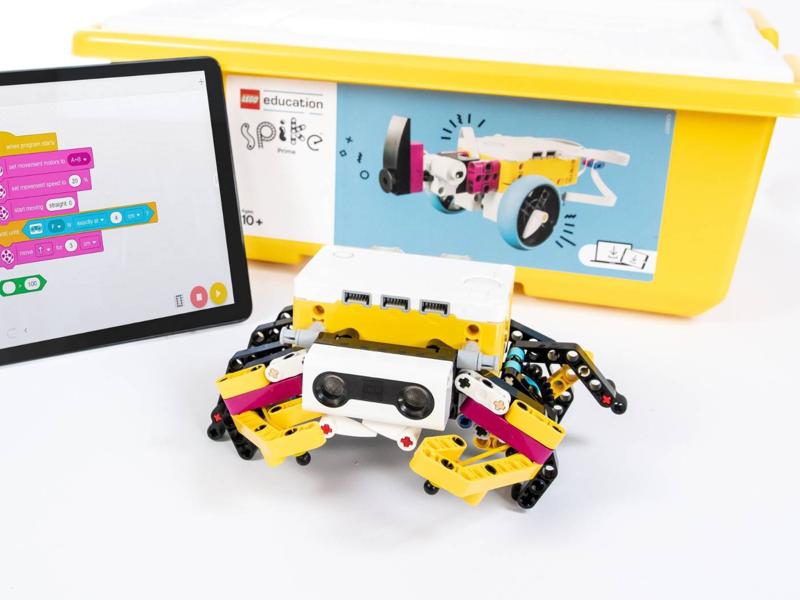
Teacher training for starting robotics with SPIKE Prime

Learn when you need it

The training is available as a recording throughout the active licence period, so you can return to it whenever you need it. The English offer is based on on-demand training, so you can prepare for your lessons at your own pace.

Use your 1:1 consultation

The course includes a 30-minute online consultation with a RoboCamp trainer. You can use it to discuss course setup, classroom organisation, a specific lesson or a practical problem.

Confirm the skills you have gained

After completing the training, you can receive a named teacher certificate. Use it as clear evidence that you are developing the skills needed to teach robotics and programming at your school.

Discover our online platform

Take a peek inside RoboCamp education platform and see what it can add to your lessons

Free access for students

Included with the price All of your students can access the instructions and multimedia for the lesson at no extra cost.
Flexible number of accounts Got a new student added to your class? Reach out to our support to expand the number of student accounts available to you.

Easy to use

User-friendly interface Simply log in and pick the lesson for today. Browse everything available, or select from your favorites.
Intuitive lesson flow Each lesson is composed of introduction, building, checking the mechanism, programming it and testing.

For individual and group work

Designed for teaching and learning Teacher can control student access to instructions and multimedia, to suit their teaching style.
Different projects for different groups Assign different tasks within your classroom by sharing different lesson projects with your students.

Frequently asked questions

The course includes access for one teacher, one on-demand teacher training, 25 ready-to-use lesson plans, student materials and student access, a 30-minute individual consultation with a RoboCamp trainer, and a named certificate. The training recording and course materials remain available throughout the active licence period.
Yes. The course is designed also for teachers who are beginning their work with SPIKE Prime and Word Blocks. The teacher training prepares you to organise lessons and program robots, while the lesson plans guide you through each project step by step. If additional questions appear, you can also use the individual consultation with a RoboCamp trainer.
The English offer includes one on-demand teacher training. It prepares you to work with SPIKE Prime in class and introduces practical programming in Word Blocks, so you can understand the lesson flow before using the course with students.
Yes. After the licence is activated, you can use the training recording and course materials at a convenient time. The English offer is based on on-demand training, so you can prepare before your first lesson without waiting for a scheduled event.
The course includes 25 ready-to-use lesson plans arranged into a gradually developing path. Most lessons are planned for about 45-60 minutes. You can follow the programme in order or adjust the pace to your group.
No. One SPIKE Prime set can be used by 2-3 students working together on a project. This setup works well for group lessons and makes it possible to organise class work without giving every student a separate set.
The licence for this course includes 12 months of access. During that time you can use the lesson plans, platform materials and training recording, and return to them whenever you need them.
A single-course licence is intended for one teacher. If more people need to use the materials, or if your school needs access to several courses, we can help choose a broader access option and prepare a suitable quote.
The course supports learning goals in computing, maths, science and technical education. It begins with simple sequences and event-based programmes with motor control, then introduces loops and other elements of visual programming in Word Blocks. It also connects coding with maths and science through shapes, measurements, simple mechanisms and physical concepts such as friction and rotational movement.

Get access to the course

SPIKE Prime Programming: Beginner Course
One on-demand teacher training available during the licence period
25 ready-to-use lessons for a structured teaching path
Student materials and access included with the course
30-minute 1:1 consultation with a RoboCamp trainer
Named teacher certificate after completing the training
12 months of access for 1 teacher and students
1 teacher · 12 months access
299
$