


SPIKE Prime is already known by many schools. The set often has a dedicated spot in the lab, makes an appearance on robotics lessons, sometimes in an after-school club, perhaps in STEM projects. It's a strong tool that students enjoy working with, and the first lessons usually produce a quick and satisfying result.
The problem begins later.
After a few lessons, you start asking: what next? How do you move from standalone projects to a teaching program for a whole semester, a year, or even several years? How can you use SPIKE Prime not only for building robots, but also for teaching programming, AI, Python, 3D design, laser work and art?
This article is about exactly that. Not about the first excitement, and not about picking and analysing SPIKE Prime from every possible angle. We wrote this article for schools that already have the equipment — or are planning to expand their robotics lab — and want to make a sensible decision: what to do so that robotics becomes part of the regular curriculum, not an occasional topic that turns up from time to time.
Because very often, the best next step isn't buying a new robot, but making better use of what already is in your lab.
We will explain how SPIKE Prime can work in 45- and 90-minute lessons, what progression from simple builds to advanced projects looks like in practice, when it makes sense to think about Python and AI, and how to extend lessons with 3D printing, a laser cutter and elements of art.
The goal is to look at SPIKE Prime not as a box of parts, but as the basis for a longer teaching program.
- Who is this article for?
- Why many schools do not use the full potential of SPIKE Prime?
- SPIKE Prime in real school: 45- and 90-minute lessons
- Learning progression with one set
- Do you need a new set to teach AI?
- Python without replacing equipment
- 3D printer on a robotics lesson
- Robotics, design and art: what happens when you combine them
- One set and many years of work with sensible budget
- I have SPIKE Prime — what next?
- Want to use 100% of SPIKE Prime?
Who is this article for?
This article is for people who already have some experience with SPIKE Prime, or are wondering how to develop their robotics lab in a sensible way.
We go through specific scenarios, difficulty progression and possible development paths for the lab — from 45-minute lessons to Python, AI, 3D printing and laser cutting.
It will be especially useful for you, if:
-
you have SPIKE Prime and feel that the set could be used more often and more effectively;
-
you've conducted the first few lessons and are now asking yourself: “what next?”;
-
you are looking for lesson plans for real lesson time — 45 or 90 minutes — and achieve more than just building the robot;
-
you plan to develop your lab and wonder if buying new equipment will solve your problems;
-
you run STEM lessons, homeschool education or a robotics club and need a real learning path that will not end after just a few impressive projects.
The question here is not "what else can you buy?"
We focus on something more important: how to use what you already have, so that students genuinely develop more skills over time, lesson by lesson.
Why many schools do not use the full potential of SPIKE Prime?
In short, having a good tool is one thing. Having a good process for working with that tool is another.
SPIKE Prime offers many educational possibilities, but it does not arrange them into a learning path by itself. It does not tell the teacher what to repeat, when to raise the difficulty level, or how to check whether a student really understands how the robot works instead of only following instructions.
This issue is easy to notice in everyday school work: when you have only 45-minute lessons, teach student groups at different levels, or when you need to prepare not one impressive class, but a whole sequence of projects.
The first lessons are usually fairly easy to prepare – you have a robot, you have an app, you produce an effect. The harder question comes later: how do you develop concepts step by step?
To breach the gap between the possibilities of the set and the teacher’s everyday work, schools need answers to very specific questions:
-
what to do after the first few lessons?
-
how to differentiate the difficulty level for the group?
-
how to fit building, programming and testing into limited lesson time?
-
how to move from individual projects to a teaching program for several months or years?
Solving these issues provides structure for your educational program, a path that teachers and students follow.
Without that structure, SPIKE Prime can easily become an occasional addition to the lesson. It will work nonetheless, students will enjoy building robots, and the teacher may even have several well-tested and proven ideas — but there will be no foundation for a long-term learning path.
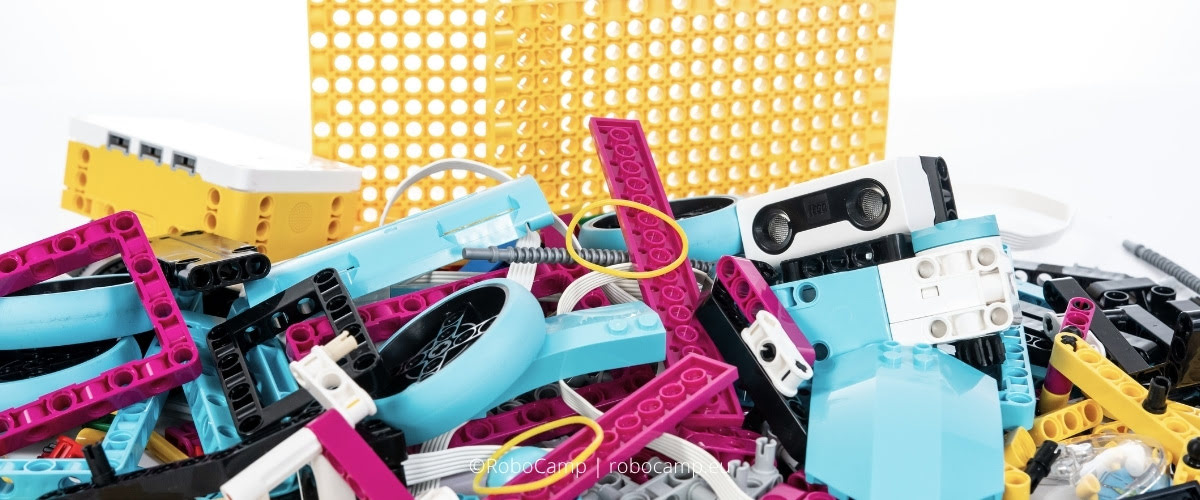
LEGO provided an excellent tool, but not a complete school teaching system
With LEGO, this distinction is especially important, because SPIKE Prime really does have a potential in a school setting: it has well-designed elements, a convenient app and many possibilities for working with students. The shortcoming is visible only later — when the teacher has to decide what to do with the group in the next lessons, how to return to earlier concepts and when to raise the difficulty level.
A school needs more than a box of parts. It needs lesson plans, methodology, progressing difficulty and teacher support. Only then do individual exercises start to connect into a continuous learning process.
SPIKE Prime is a strong enough tool that it would be a waste to use it only for a few selected activities. Its value grows when lessons form a path: from simple builds and sensors, through conditions and testing, to more advanced projects.
Only on that foundation does it make sense to talk about next possible levels: Python, AI, or 3D design.
Does new equipment really solve this problem?
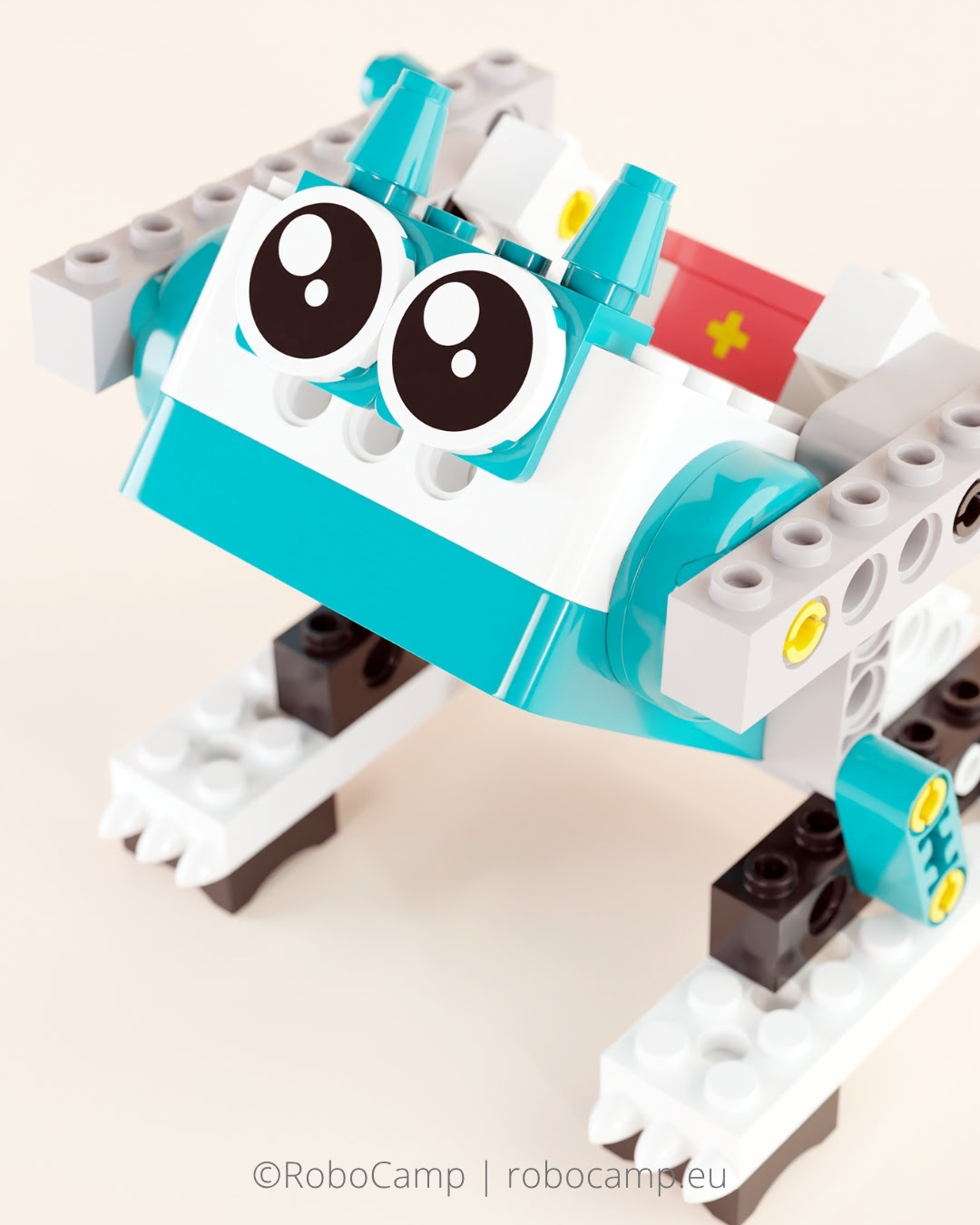
When you feel that you've reached a wall with the tool you currently use, it's natural to start thinking: should I buy something new?
New products are a natural part of the education market. A new product may be more convenient for a specific task, better suited to younger/older students, easier to organise, or more attractive as a starting point. The problem starts when you treat novelty as proof of greater educational value.
What's more, every new set needs time to mature in the larger educational ecosystem: materials must be created, lesson plans must be tested, teachers must gain experience. Only then can we honestly assess what it really brings to the table.
It is also easy to confuse a hardware problem with an implementation problem. If the difficulty comes from a missing lesson path, changing the tool does not remove the cause — it only gives a temporary feeling of a new beginning. If a school does not have a clear lesson path, a way to increase difficulty and support the teacher, the same problem will return with the next set.
The box will change, but the way you work with it will not.
That is why, before deciding on another purchase, it's worth asking a different question: are you using the SPIKE Prime that you already have in the lab to 100% of its potential?
For many schools, the more sensible step is not new equipment, but a new way of organising the work around what they already have. Only then can you honestly assess what you really need: a new set, additional elements, a 3D printer, a design tool, teacher training, or simply a better selection of lesson plans and curriculum.
Novelty does not create educational value by itself. Value appears only when the technology is used in a well-planned way.
What do you need for robotics to work on a regular basis?
Regular robotics in school needs three things: lesson plans, learning progression — a curriculum planned for longer-term work — and teacher support, such as training or consultations.
-
Lesson plans organise a single lesson: what you build, what you program and what purpose these tasks serve.
-
Progression ensures continuous deepening of knowledge — it makes sure that students work with the same equipment over time at increasingly higher levels of understanding.
-
Teacher support helps lessons work in practice; it prepares teachers for classroom reality, surprises and hardware glitches, and also lowers the entry barrier.
These 3 key supports turn SPIKE Prime from a set for occasional activities into the basis of a regular teaching program.
SPIKE Prime in real school: 45- and 90-minute lessons
SPIKE Prime has a lot of potential, but what matters more is whether this potential can be made use of within real lesson time, in real schools.
Fortunately, we know it can, and this is one of the set’s main advantages. SPIKE Prime can work in different "modes": in a 45-minute lesson, in a longer 90-minute block, in a robotics club or in a project developed over several meetings. It offers a lot of flexibility, but not every scenario will work equally well in every time format.
A 45-minute lesson and a 90-minute lesson are two completely different modes of work. The differences extend beyond the size of the robots that you can build within the timeframe.
In a 45-minute lesson, selection matters most: a simple build, a clear goal and one concept to work through. Students need time to build the model, run the program and check what changes in the robot’s behaviour. With a well-chosen scenario, you can achieve a lot more than just assembling the model.
A 90-minute lesson gives more room to expand the lesson plan and allow independent work. Students can calmly test, improve the program, compare solutions and discuss why the robot behaved differently than expected. And yes, they can also create more complex and larger robots. During a longer lesson, it is easier to show that robotics does not end when the model “works”. Often, the key moments come up only when something does not work; then students need to find out why, understand the cause and fix it.
| 45-minute Lesson | 90-minute Lesson |
|---|---|
| ✓ focused scope | ✓ more room for exploration |
| ✓ simpler builds | ✓ complex builds possible |
| ✓ fast build-program-test cycle | ✓ supports debugging and deeper understanding |
| ✓ good for start and regularity | ✓ good for improvement |
Both short and long SPIKE Prime lessons make sense, but each format has a different role. 45-minute lessons help build regularity and introduce specific concepts step by step. 90-minute lessons allow students to go deeper: test, improve, analyse and connect the build with the program.
This is where the difference between a standalone inspiring project and a well-planned lesson scenario becomes easy to spot. An inspiring project focuses mainly on the interesting effect. A lesson scenario guides the student through the whole process: from building, through programming, to testing and improving the solution.
In a well-structured program, SPIKE Prime can work in both timeframes. That is the role of a teaching program: not only to group interesting projects, but to arrange them so they fit the lesson time, the group’s level and the skills you want them to develop.
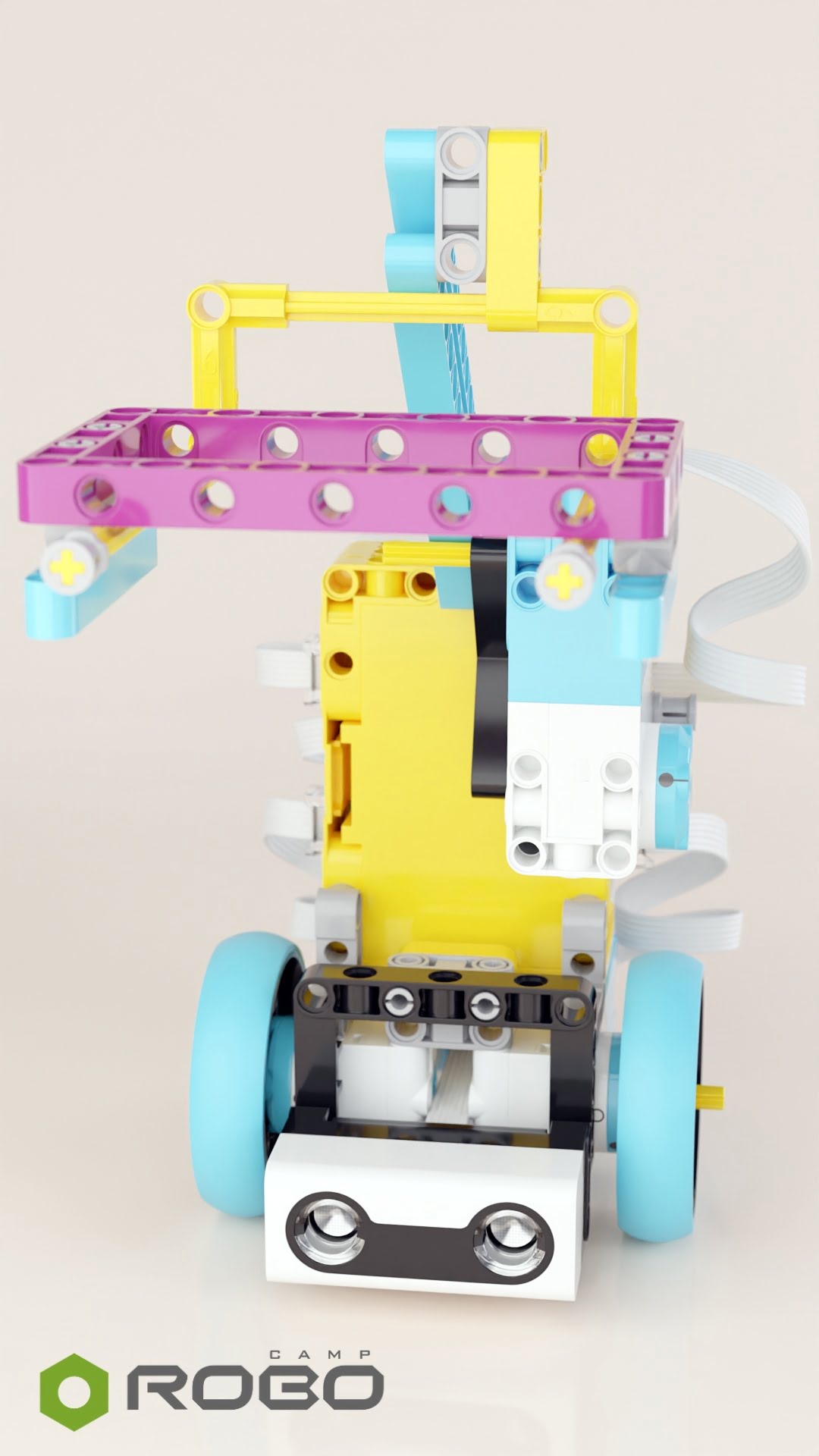
Time: 45 min
Learning progression with one set
Good learning progression works like a well-planned teaching path. The student does not jump randomly from one robot to another, but returns to similar problems at increasingly higher levels of understanding.
First, the student learns simple relationships: a sensor provides information, the program reads it, the motor performs a movement, and the robot reacts. Then individual elements begin to connect into larger systems: a sensor reaction becomes a condition; several repeated actions form a loop; measured data can be put into a variable; two parallel actions require multithreading... Over time, the student no longer sees only a model that “works”, but a system: construction, data, code and result.
This is exactly the difference between a collection of interesting projects and a learning program.
In RoboCamp, this path is laid out across three main SPIKE Prime courses:
Each course contains 25 lesson plans. Each standard course also includes 2 hours of teacher training; together the three levels provide 75 lesson plans and 6 hours of teacher training. They can be used separately, but they were designed as one whole – 3 levels of continuous work on the same set.
At the beginner level, students become familiar with the set and basic programming concepts. They build simple constructions, learn to control a motor, use the force sensor, tilt sensor, color sensor, LED matrix and first programming events. In projects such as Swing, Spinning Top, Vehicle, Scale, Dice or Robot Arm, robotics is very concrete: press, move, read, react.
But even here, the student begins to see that the robot does not work “magically”. It works because the construction, sensor and program are connected.
At the intermediate level, the same elements begin to form more complex systems. Loops, conditional statements, skid steering, precise motor positions, variables, multithreading and measurements appear. The Cleaning Robot allows students to test an algorithm, the Music Box uses the color sensor and conditions, the Sorter combines conditional statements with precise motor positioning, the Trough Conveyor introduces a counter and variables, and the Wind Turbine allows students to measure rotations and work with data.
This is no longer only a question of whether the robot works. The more important question becomes why it works this way and not another way.
At the expert level, SPIKE Prime becomes a tool for building whole systems. Students coordinate several motors, use multiple data inputs, create more advanced mechanisms and begin to work with algorithms that require planning. The Port Crane maps joystick control to crane movement, the Plotter coordinates movement on the X–Y axes, the Multi Sorter sorts elements by color and size, and the AI+ Launcher works with data, decisions and user feedback.
Then Python appears: from shorter projects such as Manipulator Short Python or Sorter Short Python, to games and advanced projects, for example Maze Python, 3D Plotter Python and Golden Ratio Python.
| Beginner | Intermediate | Expert |
|---|---|---|
| Simple sensor–program–motor relationships | Developing logical thinking | Designing complete robotic systems |
| Using first sensors | Using loops, conditions and variables | Planning algorithms |
| Building simple models | Testing and improving solutions | Solving multi-step engineering problems |
| Press, move, read, react | Working with measurements and multiple data inputs | Working with Python and structured programs |
| Connecting the build with the program | Explaining why the robot behaves in a certain way | Independence in planning, testing and optimisation |
This progression is easiest to see with the Sorter example.
At first, it may be a simple task with the color sensor: the robot recognises the color of an element and performs the appropriate reaction. At the next level, the sorter requires precise motor positioning, several conditions and a better understanding of the mechanism. In the advanced course, the topic returns as the Multi Sorter, which sorts not only by color but also by size. Later, a similar problem may appear again in Python, with a different way of organising the program.
It is still “sorting”, but each time the student works at a different level: with more data, a more demanding construction, a more difficult program or greater independence.
Used in this way, SPIKE Prime does not exhaust its possibilities after a few lessons. The same set can lead the student from simple reactions and first sensors all the way to Python, AI, 3D design and tasks that connect robotics with design.
However, such advanced projects make sense in a curriculum only if a solid foundation of basic robotics and programming has already been laid out. More about it below.
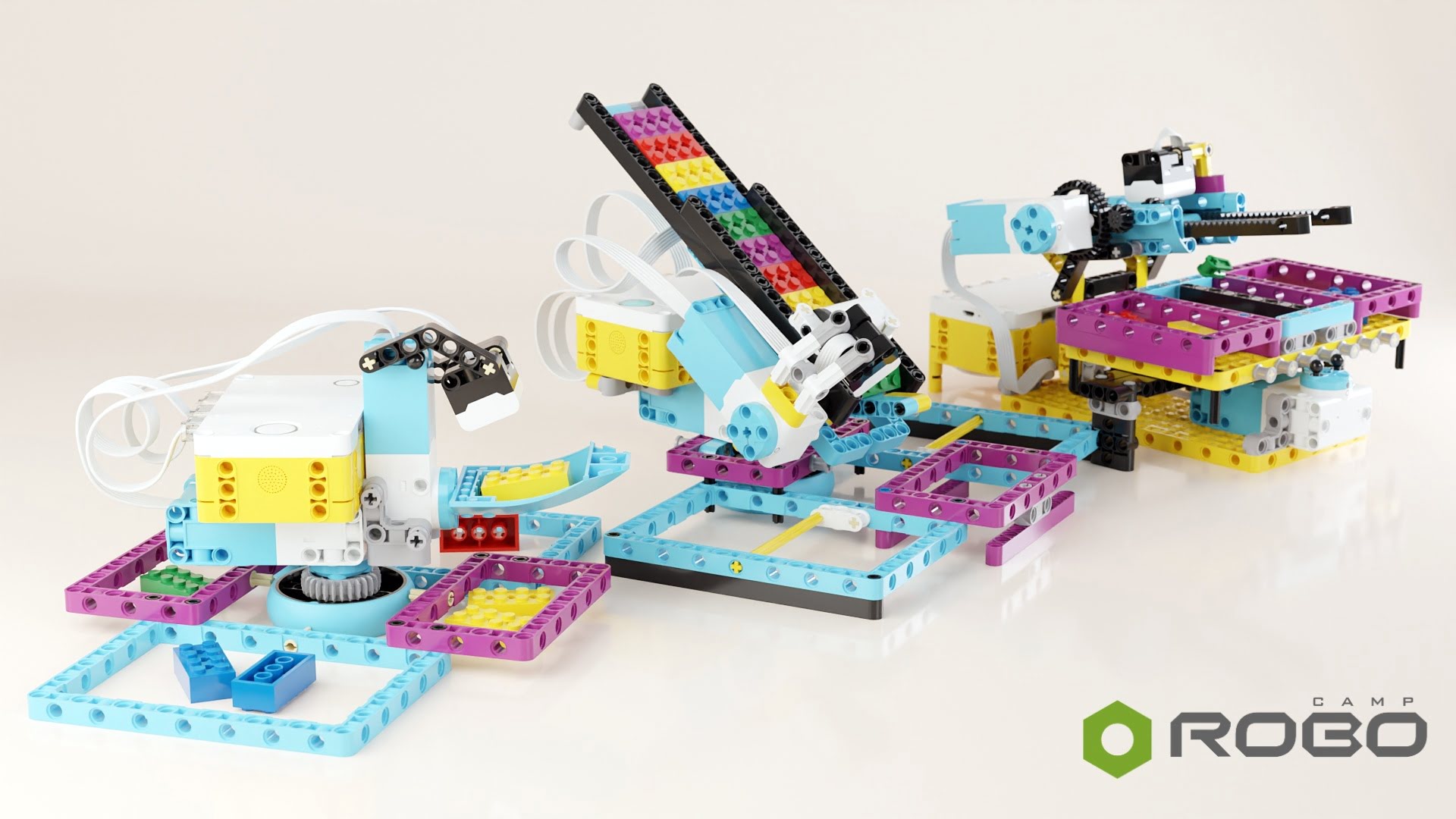
Time: 50 / 60 / 90 min
Already have SPIKE Prime?
If you already have SPIKE Prime, you are not starting from zero. Check what you can do with what's already available in your lab. Fill in a short form – based on your answers, we will prepare a proposal matched to your goals.
We may contact you directly to fit the right solution to your unique situation.
Do you need a new set to teach AI?
The term "AI" appears more and more often in the name of newly launched educational products. It's understandable — schools want to teach modern technologies, so teachers and principals are looking for tools that help prepare students for a world that runs on data, automation and algorithms. The market wants to satisfy that need.
And that education matters. Today’s content generators (programs that create text, images, code and other responses to a user prompt) are very easy to use and access, even though the principles behind them are complex and difficult to assess without basic knowledge. Your students already use them. That makes it even more important to learn how programs, data and algorithms work, so that students not only use them, but understand them.
Without that knowledge, it is easy to treat the AI-generated result as absolute truth, fail to recognise errors and miss the risks connected with the tool you use.
Be extra cautious when shopping for aids that help with AI education, however, due to one mental shortcut people tend to make: AI in the name of a tool does not automatically mean better AI education.
Teaching a new technology (like the basics of AI) does not necessarily begin with a new box. In reality, it begins with well-designed tasks that make the student see and understand: what the program does, what data it uses to make a decision, and how it can change its outcome with iteration and feedback.
People are tempted to reduce lessons about AI to using ready-made tools: a chat, an image generator or an app that “does something by itself”. Such lessons can be interesting, but it is not enough if we want to show students what is behind the outcome.
Understanding the process is much more important:
-
where the data comes from;
-
how the program makes a decision;
-
what changes after feedback;
-
how further attempts improve the result;
-
why an algorithm sometimes makes mistakes.
That kind of thinking can be developed even with SPIKE Prime. The set has sensors, motors, programming options and a physical result of action. The student does not only see the result on a screen, but observes what happens with a real mechanism: the robot drives, turns, launches an element, stops or changes its reaction after the next measurement.
New equipment may be interesting, but it is not required for exploring AI. The teaching program, the curriculum is much more significant: it leads the student from simple reactions to data, towards tasks based on iteration, adaptation and improving decisions.
Time: 90+ min or a series of lessons
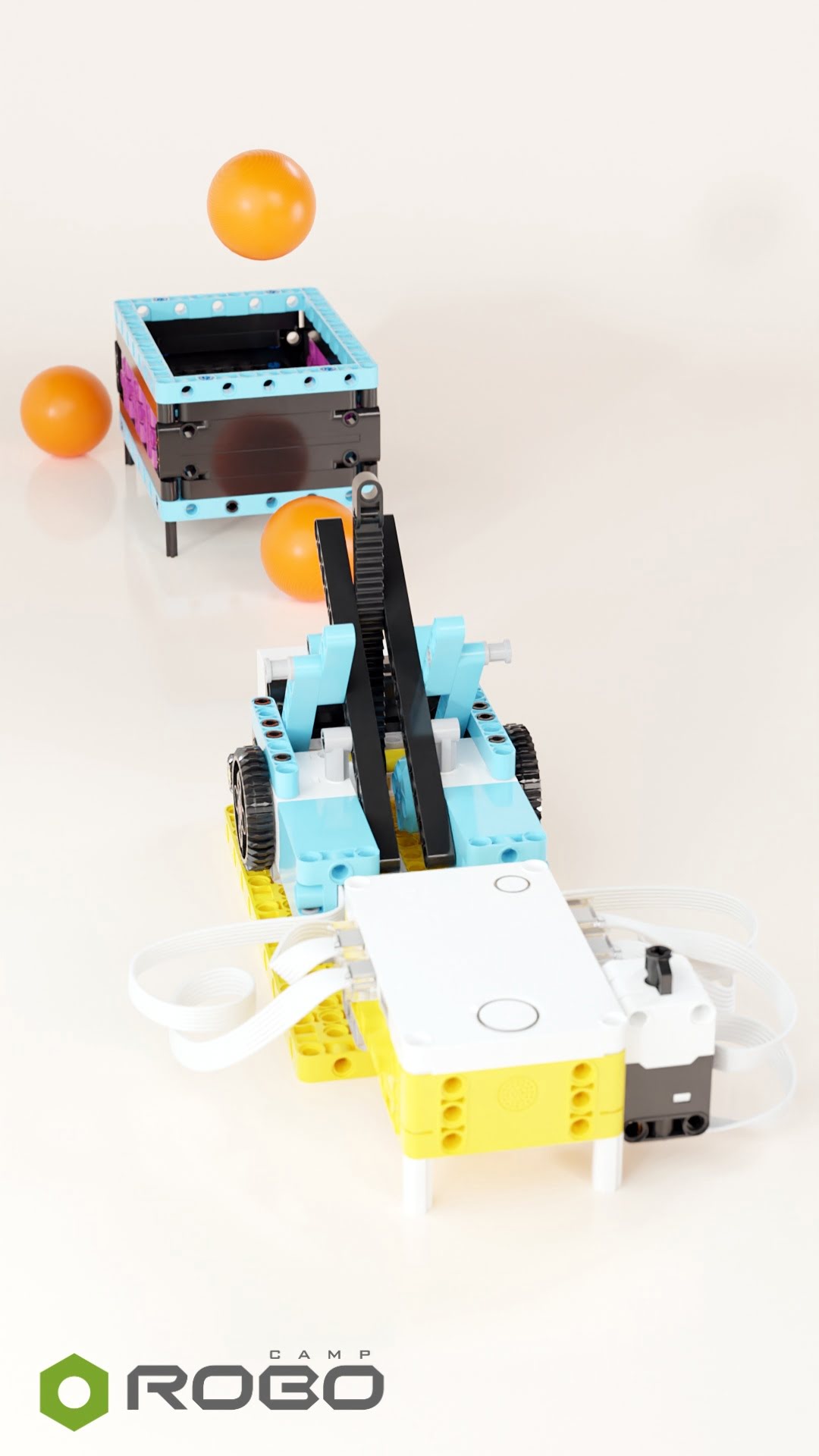
AI+ Launcher can work as a good example of this approach. The student does not only build the launcher mechanism, but works with a process similar to learning: the robot performs a trial, collects data, receives feedback and corrects the next action on that basis.
In this exercise, students do more than make the robot throw a ball. They are trying to answer this question: how can a program improve its own decisions after a few consecutive attempts?
In the process, students learn several key ideas:
-
sensor data is not decoration in the program, but the basis for a decision;
-
the first attempt does not have to be perfect;
-
feedback helps improve the next action;
-
an algorithm can change its behaviour based on earlier results.
AI education defined this way does not begin with a new set. It begins with a well-planned series of tasks that show students the relationship between data, decision, error and correction.
That is the kind of understanding students need if they are going to use AI tools critically, not just confidently. The goal is not to make AI sound more mysterious, but to help students understand what is actually happening.
Python without replacing equipment
Python can become a natural next stage of work with SPIKE Prime — especially for older students and groups that want to go beyond block-based programming.
You can think of it as another language. It has its own syntax, logic and notation, and it serves a very specific purpose: it allows students to describe the program’s behaviour precisely.
Students who have previously worked with Word Blocks already have important foundations, because they know what a motor, sensor, condition, loop, measurement, testing and debugging are. Python gives them a new way to write down the same ideas — with greater precision and broader possibilities.
SPIKE Prime provides familiar and comfortable conditions at the start. Students do not begin with an empty editor and detached examples, but write code that moves a real, familiar mechanism. With code, they start a motor, read data from a sensor, change the robot’s reaction, display a result on the matrix or control a game. This makes Python just another language for working with a robot the student already knows.
In the expert RoboCamp course, Python is introduced as the next level. Manipulator Short Python develops action sequences and motor positioning, Sorter Short Python returns to the familiar problem of sorting, and Maze Python shows game logic, control, a 2D map, collisions and time measurement. More advanced projects appear later, such as 3D Plotter Python or Golden Ratio Python, where programming connects with geometry, movement and 3D design.
We treat Python not as a separate subject, but as a stage on the development path. A school that has SPIKE Prime and works with well-structured scenarios already has much of the necessary foundation: equipment, materials, earlier experience and students’ knowledge.
The same set can advance with you: from simple robot reactions to text-based programming, games, algorithms and interdisciplinary projects. The programming language changes, but the purpose of the work stays the same – the student designs an action, tests it and understands more and more about what happens between the code and the result.
3D printer on a robotics lesson
Many schools already have a 3D printer available. This equipment is often already in the lab — but it is not always clear how to sensibly connect it with regular learning.
Printing by itself loses its novelty quite quickly. Students may receive a ready-made keychain, a figurine, or a prop, but their participation in the production process is often small. From educational standpoint, the most interesting part happens before printing: when you have to design the part, make decisions about its shape, dimensions and function, and after: when checking whether the project actually works in reality.
That is why robotics is such a good context for 3D printing. The robot provides a specific problem to solve. You skip projects that are just “something nice” or “something to print”. Instead, you focus on designing a part that must fit existing elements and perform a specific function: transfer movement, hold an element, change the shape of a mechanism, improve measurement or extend the set’s possibilities.
This is especially important with SPIKE Prime. The set provides a very strong construction base, but it has limitations – the box has a finite number and variety of parts. Not every mechanism can be built from ready-made beams, axles and connectors. 3D printing solves that problem, by allowing students create a part made for a specific task.
The greatest educational value, however, is not in the printing itself — it is in designing, testing and improving.
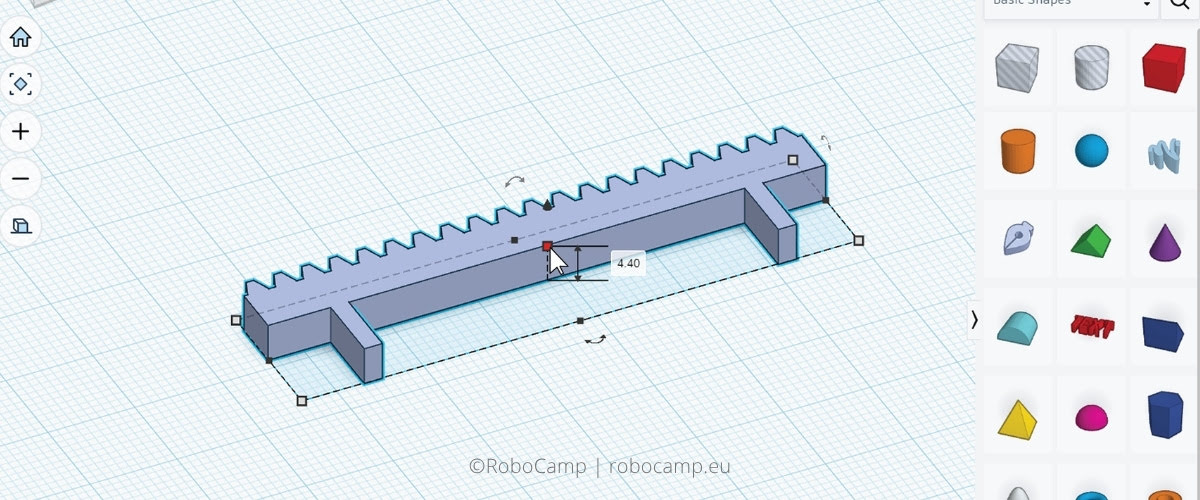
In the 3D design course with SPIKE Prime, students work in exactly this model. First, they have a robot and a technical problem. Then they design a part in a CAD environment. After printing, students mount the part in the construction and check whether it works as expected. If something does not fit, jams or gives a weak result, they have a natural reason to improve the design.
This engineering process model gives students the most in terms of learning. When teachers have less time available, we recommend a simplified format, in which, during assembly, students use parts printed before the lesson.
Using 3D printer like this is a completely different level of work than printing ready-made add-ons. Students stop being the recipients and become the designers of a solution. They need to think about dimensions, tolerances, material, movement, mounting points and how the printed part works with the robot’s mechanics.
As a result, the 3D printer is not a tool separate from robotics. It becomes part of the process: from idea, through design, to a working mechanism. And the school can make better use of equipment that is often already in the lab.
Time: 90+ min or a series of lessons
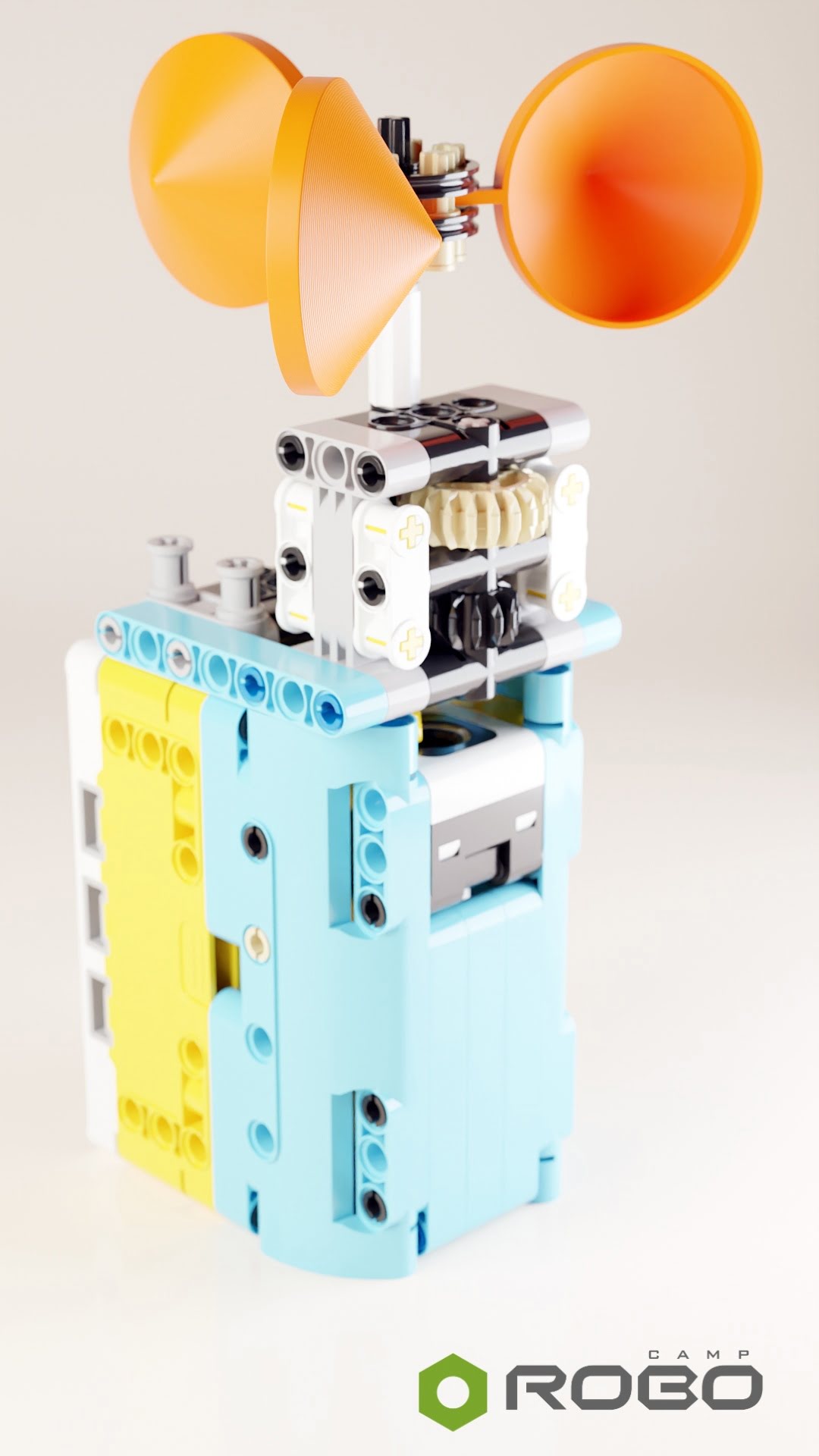
A good example of this approach is the Anemometer — a project in which students not only build a robot, but create their own measuring element.
In a classic robotics project, students might receive a ready-made mechanism and focus on the program. Here, there is an additional stage: they need to design a part that will react to air movement. Its shape matters. A part that is too heavy, poorly balanced or badly mounted will rotate less effectively and provide a less useful measurement.
This makes the project naturally connect several areas:
-
3D design — students create an element in a CAD environment;
-
3D printing — the print becomes part of a working mechanism, not a separate gadget;
-
robotics — the element must work with the SPIKE Prime construction;
-
programming and measurement — the robot reads data and allows students to analyse how the device works;
-
testing — students can check whether the shape of the element affects the result.
This kind of exercise gives 3D printing a very clear purpose. It is not just about “printing something”. You design a part that extends the robot’s possibilities and allows you to perform a measurement that would otherwise not be as easy, or possible at all, using only the elements found in the box.
Seen this way, 3D printing complements SPIKE Prime well: it allows students to design functional parts whose task is to genuinely change how the robot works.
Robotics, design and art: what happens when you combine them
Developing a school STEAM lab or makerspace does not have to entail buying yet another robot. You can go in another direction: bring into projects new material, greater scale and stronger visual effect — with a laser cutter, for example.
Seemingly similar to 3D printing, this extension actually focuses on something else. Laser cutter works especially well in projects where form, aesthetics, repeatable shape and fast preparation of larger elements matter. For a school, this is important: elements cut from plywood sheets often look good immediately after they come out of the machine. They have a clean edge, a natural material and an aesthetic that is often hard to achieve in 3D printing without additional finishing.
3D printing has many advantages, but it does not always look... presentation-ready. A part may be printed correctly from a technical point of view and still need sanding, smoothing, painting or other work before it looks genuinely “nice”. Bringing a part to that perfect state is time-consuming, inconvenient, and some processes (e.g. acetone, heat guns) are not exactly suitable for working with students.
With a laser, it is much easier to get a result that is immediately ready to show, mount and use in a project.
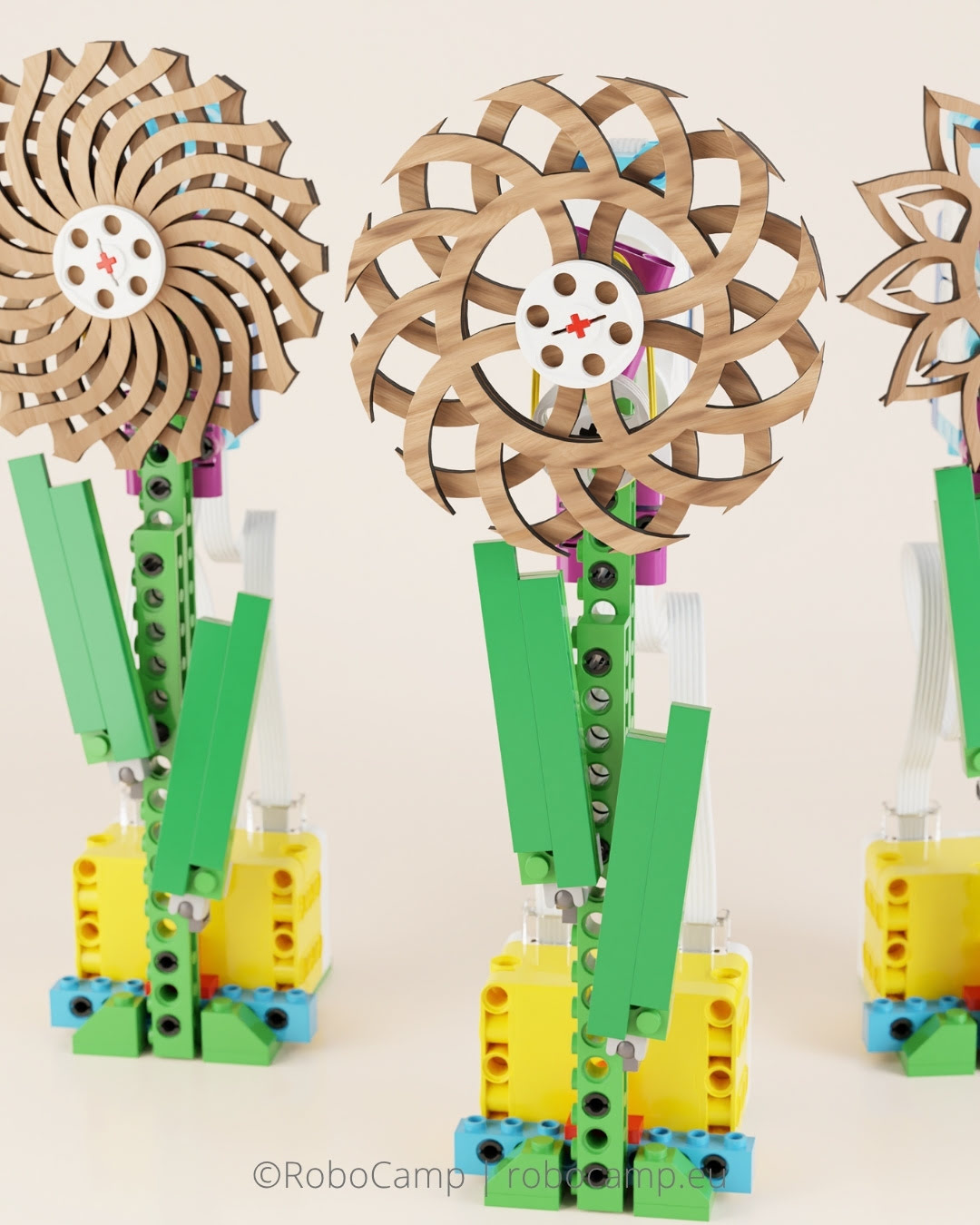
In RoboCamp projects, we mainly work with plywood sheets. Our lesson plans include downloadable files with ready-to-cut templates for this material, but you can freely change the cutting parameters for other laser-safe materials.
With a cutter, SPIKE Prime can go beyond classic brick constructions. We still have motors, programming, mechanics and movement, but now with wood, larger elements, regular shape, proportions and aesthetics. Students do not only check whether the mechanism works. They also begin to think about how the completed project will look like, how it will moves and what impression will it make on the viewer.
This is exactly where robotics combines very well with art and design. Art and design become an integral part of the project: the technical idea must work, but it must also have form, material and character. This can be much more satisfying than another robot following a line, because the final effect resembles an object that can be shown, displayed and understood not only technically, but also visually.
From a school’s perspective, this is an important development decision. Adding another robotics set can increase the number of workstations and allow a larger group to work at the same time (which we do not necessarily recommend, especially when only one teacher is running the class), but it is unlikely to change the type of projects that can be done.
Laser cutter adds a different dimension of work to the lab: it allows robotics to be combined with a new material, a new way of designing and art. It does not replace SPIKE Prime. It extends its use in a unique way.
Time: 90+ min or a series of lessons
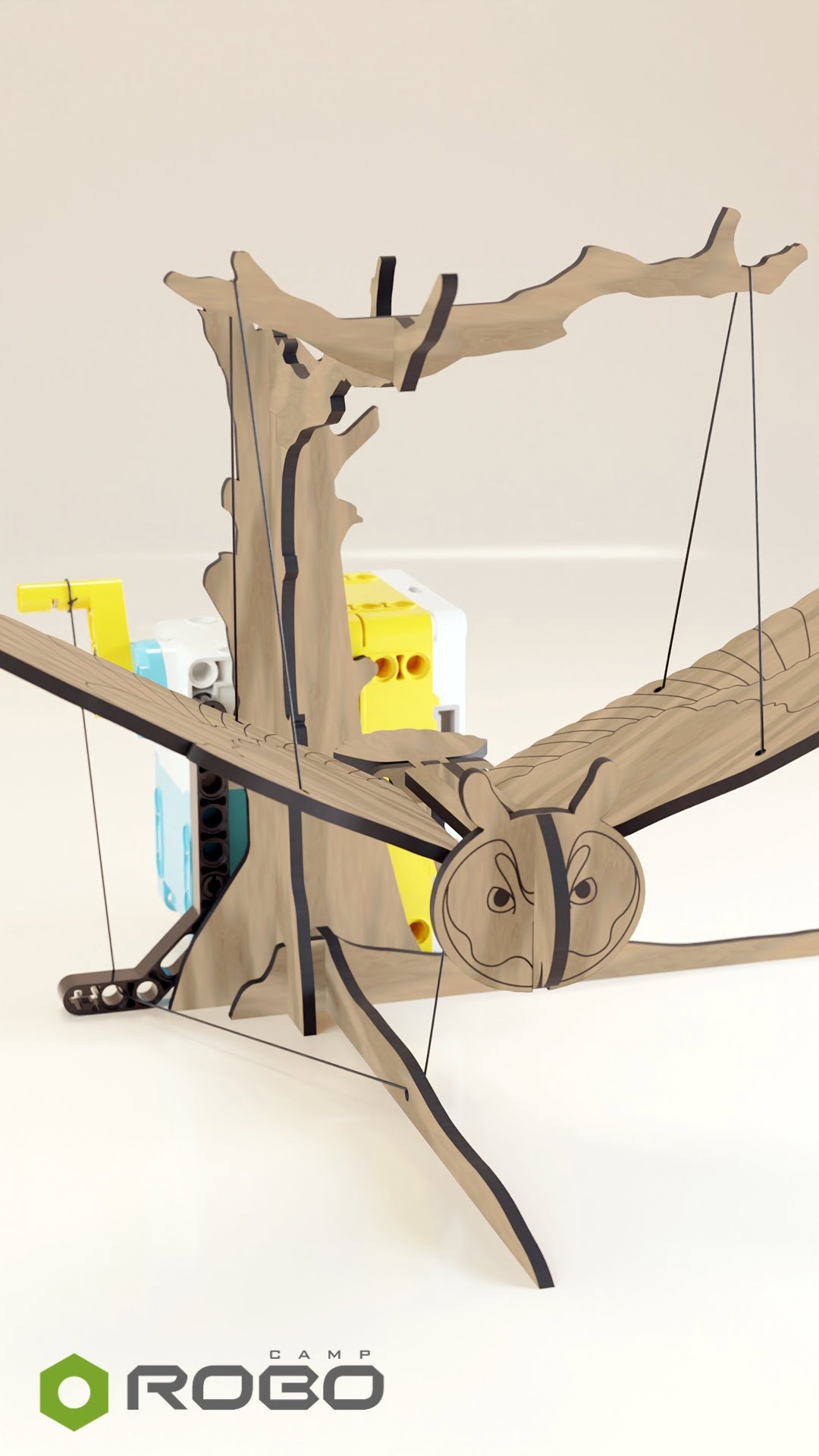
A good example of this combination is the Flying Bird — a robot model with large, laser-cut wings moved by a motor.
In this project, the mechanism alone would not be enough to achieve the final effect. The wings matter: their shape, size, proportions, material and mounting method. Wooden elements give the project a scale and look that cannot be expected from standard LEGO parts. SPIKE Prime is responsible for movement and programming, and the laser cutter makes it possible to create elements that build the visual character of the whole model.
Students work with several layers of the project at the same time:
-
mechanics — the wings must move smoothly and in a repetitive manner;
-
programming — the motor movement needs to be set so that it matches the intended effect;
-
material — wooden elements have a different scale, look and rigidity than standard LEGO parts;
-
form — the shape of the wings affects how we perceive the finished model;
-
art — the project does not only work, but also creates the impression of a living creature in motion.
As a result, students do not work only on making the robot “move”. They design movement, material and form as one whole. They need to combine technical precision with the question of effect: do the wings move naturally, does the scale fit the construction, does the wood strengthen the perception of the model, does the whole thing really resemble a bird in motion?
This kind of task shows well why a laser cutter can be a strong extension of a SPIKE Prime lab. It gives students the opportunity to create projects that are both technical and close to applied, or kinetic art.
One set and many years of work with sensible budget
SPIKE Prime does not exhaust all of its possibilities after just a few lessons. The same set can accompany your students from the basics of robotics, through programming and AI, all the way to Python, 3D printing, laser cutting and projects that connect technology with art.
If you are now in the process of planning the budget for your school lab, take a step back for a moment and stop thinking about the shopping list.
Instead, ask: what is limiting the potential of my lab?
Sometimes, the solution will indeed be: buy another robotics or STEAM set. If the school has too few workstations, groups are too large, or if you want to work with several groups at the same time, additional equipment may be exactly what you need.
But if SPIKE Prime is already there and the problem lies elsewhere (lack of lesson plans, training, spare parts, or a direction), adding more boxes to the storage will not change much. If you are this situation, you should first organise what the lab already has: choose a curriculum path, train teachers, supplement missing parts, plan difficulty levels, or connect SPIKE Prime with a 3D printer and a laser cutter.
You will expand the lab’s possibilities without starting from zero. Equipment that has already been bought will start working more often, in a more thoughtful way and at different levels.
A new purchase makes the most sense when you know exactly what role it should take in the entire teaching path. It can increase the number of workstations, open a new type of project, or fill a specific gap. It should be part of a larger plan, not just another item on the list.
For many schools, the most important step will therefore not be replacing SPIKE Prime with something newer. It will be the decision to finally use more of what is already in the lab — and only then plan the next purchases.
I have SPIKE Prime — what next?
- Keep using the set you already have — SPIKE Prime still has room for several years of meaningful work.
- Look for the real bottleneck first — lesson plans, teacher confidence, missing parts, or a path for more advanced students.
- A good plan comes before the next purchase — because new equipment only helps when it solves a real problem.
If you already have SPIKE Prime in your lab, you are in a good place. You have a set that still offers a wide range of possibilities and will continue to do so for at least the next few years — and that covers first robotics lessons to projects with Python, AI, 3D printing and laser cutting.
Now, the most important thing is to organise the framework: check how many sets you have, what groups you work with, how long the lessons are, what already works well and where the most common blockages appear. For one school, the problem will be a lack of scenarios; for another, a lack of teacher confidence. Another school may have the equipment, but no idea how to connect it with a 3D printer, laser cutter, or lessons for more advanced students.
This kind of review points to the next step: a course, training, additional elements, or an extension. The important thing is that the decision should come from what the school really needs — not simply from the fact that something new has entered the market.
That is exactly where we can help you.
Want to use 100% of SPIKE Prime?
You may already have more to work with than you think. The first step is to check what is in your lab now — and what is actually missing.
Fill in a short form: number of sets, student age, lesson time, teacher experience, budget and the direction in which you want to develop your lab.
Based on your answers, RoboCamp will prepare a proposal matched to your lab: ready-to-use scenarios, courses, teacher training or extensions such as Python, AI, 3D printing and laser cutting. If something needs clarification, we will contact you directly.
Get a clear answer to a practical question: what should your lab do next?